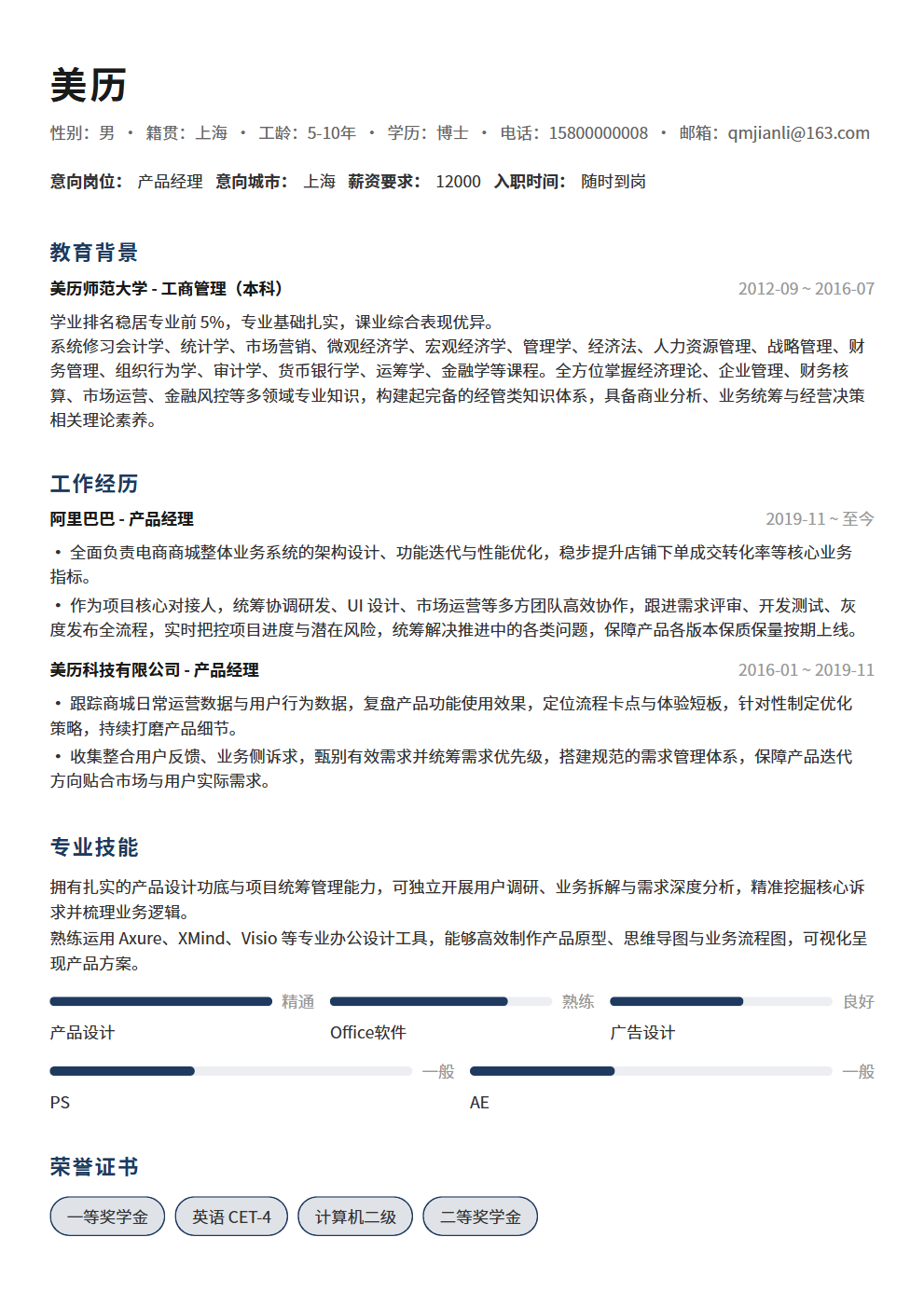
Revise Your Resume Like This and Triple Your Response Rate: The ATS Screening Truth HR Won't Tell You
Your resume may never have been seen by a human — ATS systems filter out 80% of resumes before HR even looks. This article reveals how ATS screening works and teaches you 3 key modifications to pass the system and triple your response rate.
You sent out 100 resumes and only got 3 interview invitations — it's not that you're not good enough, it's that your resume was never seen by a human. In 2026, over 80% of mid-to-large enterprises use ATS (Applicant Tracking System) to screen resumes. This means before HR ever sees your resume, a machine has already done the first round of elimination. If your resume isn't optimized for ATS, no matter how well-written it is, it won't matter. This article reveals how ATS screening works and teaches you 3 key modifications to pass the system and triple your response rate.
What Is ATS and Why Does It Decide Your Resume's Fate?
ATS is an automated resume screening system that companies use to manage massive volumes of resumes. When you submit your resume on a job site, it first enters the ATS, which automatically scores and ranks it based on preset keywords, formats, and criteria. Only resumes with high enough scores get pushed to HR for review — the rest sink to the bottom of the system, where HR may never see them.
- ATS workflow: Resume submitted → System parses and extracts text → Keyword matching and scoring → Ranked by score → HR reviews top-ranked resumes. If your resume scores too low in keyword matching, you're out immediately
- ATS filtering ratio: Large companies receive an average of 250 resumes per position. ATS filters out 75%-80%, leaving only 50-60 resumes for HR to review. This means your first battle isn't against other candidates — it's against the machine
- Major domestic ATS systems: Beisen, Moka, Dayee, Liepin Enterprise, BOSS Zhipin Enterprise. Different systems have different algorithms, but the core logic is the same — keyword matching + format parsing
- ATS is not an AI interviewer: It won't understand your "subtle expressions" or infer your "hidden meanings." It only recognizes keywords and formats. If you write "responsible for user growth" but the system can't find the keyword "user operations," there's no match
Key Modification 1: Precise Keyword Matching — Let ATS Actively Give You a High Score
Keyword matching is the core mechanism of ATS screening. The system compares your resume text against the keywords in the job description (JD). The higher the match rate, the higher your score. Many people write great resumes, but their keywords don't align with the JD, so they get eliminated by the system.
- Step 1: Extract keywords from the JD. Read the target position's JD carefully 3 times and mark all professional terms, skill requirements, and tool names. For example, if the JD says "proficient in SQL for data analysis, familiar with Tableau/Power BI and other visualization tools, experience with user growth projects" — the keywords are: SQL, data analysis, Tableau, Power BI, user growth
- Step 2: Naturally embed keywords in your resume. Don't stuff them — present them in complete sentences and project experiences. Bad example: "Keywords: SQL, Tableau, user growth" — ATS might recognize this, but HR will think you're unprofessional. Good example: "Used SQL to extract user behavior data, built data dashboards through Tableau, providing data support for user growth projects"
- Step 3: Cover keyword variants and synonyms. If the JD says "new media operations" but your resume only says "social media management" — ATS may not match them. Cover both "new media operations," "social media operations," and "content operations." If the JD says "Python," write "Python," not just "programming language"
- Step 4: List skills separately. Set up a "Professional Skills" section in your resume with bullet points listing core skill keywords. This is a key area ATS scans — the more concentrated the keywords, the higher the match rate
- Recommended keyword density: Core keywords should appear 2-3 times in your resume (naturally across different project experiences). Don't force repetition for density — ATS also has anti-spam mechanisms
The essence of keyword matching: Write your resume in the language of the JD. Your goal is to make ATS think "this resume is highly matched to this position," not to showcase how excellent you are. Pass the system first, then impress HR.
Key Modification 2: Format-Friendly — Let ATS Correctly Parse Your Resume
ATS doesn't have human eyes — it parses resumes using text extraction technology. If your resume format isn't friendly, the system may fail to extract key information, causing keyword matching to fail. Many people spend lots of time designing fancy resume templates, only to have ATS be completely unable to read them.
- File format: Prioritize Word documents (.docx), followed by PDF. Some older ATS systems can't correctly parse special fonts and layouts in PDFs. If the employer doesn't specify a format, .docx is the safest choice
- Fonts and layout: Use standard fonts (Microsoft YaHei, SimSun, Arial, Calibri), size 10-12pt. Avoid special fonts, artistic text, and text embedded in images — ATS cannot recognize text within images
- Heading hierarchy: Use standard heading formats. Major sections like Work Experience, Education, and Professional Skills should use consistent formatting (e.g., all bolded). ATS identifies different content sections based on heading hierarchy
- Avoid tables and text boxes: ATS's ability to parse tables and text boxes varies. Some systems scramble the order of table contents, while others skip text box content entirely. Use simple paragraphs and bullet points instead of tables
- Avoid headers and footers: Some ATS systems skip content in headers and footers. Put your contact information (phone, email) at the beginning of the main text, not in the header
- Consistent date format: Use standard formats like "2023.06-2025.03" or "June 2023 - March 2025." Don't use relative time expressions like "last year" or "last month"
- Don't use icons instead of text: Write "Phone: 138xxxx" instead of placing a phone icon. ATS doesn't recognize icons, and your contact information might be lost
The core principle of format optimization: Simple, standard, parseable. Your resume first needs to be readable by machines, then comfortable for humans. An ATS-friendly resume is actually easier for HR to see — because it passed the system screening.
Key Modification 3: Information Completeness — Pass Every ATS Screening Criterion
ATS doesn't just match keywords — it also screens resumes based on preset criteria. For example, if a position requires "3+ years of work experience," "bachelor's degree or above," "based in Beijing" — if your resume is missing any of this information, the system may directly determine you don't match.
- Work duration must be explicit: Don't just write the company name and position — include start and end dates. ATS calculates your years of experience based on your work history. If you only write the company name without dates, the system can't determine your work duration and may screen you out
- Education information must be complete: School name, major, degree level (Bachelor's/Master's/PhD), and graduation date — none can be missing. Some ATS systems automatically verify education information; incomplete information may be flagged as "incomplete"
- Job intention/preferred city must be filled in: Many ATS systems screen resumes by city. If you haven't filled in your preferred work city, the system may not push your resume to the HR in the corresponding city
- Industry and position keywords must be precise: Your job title should align with industry standards. If you write "Product Lead" but the JD says "Product Manager" — ATS may not match them. Use industry-standard job titles, with supplementary explanations in parentheses if necessary
- Salary expectations — fill in carefully: If the employer asks for salary expectations, provide a reasonable range (e.g., "15K-20K"), not "negotiable" — some ATS systems treat "negotiable" as incomplete information
- Certifications and qualifications must be listed: If the position requires specific certifications (e.g., CPA, PMP, legal professional qualification), be sure to list them explicitly in your resume. ATS specifically scans for these hard requirements
The core of information completeness: Don't give ATS any reason to determine you "don't meet the criteria." Every screening criterion must have corresponding information in your resume. Incomplete information = doesn't meet criteria = eliminated. This logic is harsh but realistic.
Before and After ATS Optimization: A Real Case Study
Let's look at the difference before and after ATS optimization using an operations position applicant as an example.
- Before optimization: "Responsible for social media management at Company A, enhancing brand influence" — Problems: No keyword match (JD says "new media operations" not "social media management"), no quantitative data, no tool names
- After optimization: "Served as New Media Operations Specialist at Company A, responsible for content planning and publishing across WeChat Official Account, Xiaohongshu, and Douyin platforms, used data analysis tools to track content performance, grew followers by 120% and increased engagement rate by 35% within 6 months" — Improvements: Precise keyword matching (new media operations, data analysis), clear tool names, quantified achievements
- Before format optimization: Used a Canva-designed mixed media template with lots of icons and text boxes — Problems: ATS couldn't correctly parse text box and icon content, key information lost
- After format optimization: Used a standard Word document with clean layout, clear heading hierarchy, contact information at the beginning of the main text — Improvements: ATS could fully parse all content, keyword match rate significantly increased
- Before information optimization: No preferred city listed, education only showed school name without major — Problems: ATS city screening failed, education information incomplete
- After information optimization: Preferred city Beijing, complete education info (XX University, Marketing Major, Bachelor's, Graduated 2023) — Improvements: All screening criteria passed
After optimization, this applicant's resume response rate increased from 5% to 18% — a 3.6x improvement. The core reason wasn't that she became more excellent, but that her resume could finally be correctly identified and matched by ATS.
3 ATS Optimization Self-Check Lists
Before submitting your resume each time, use these 3 lists for a quick self-check to ensure your resume can pass ATS screening.
- Keyword checklist: List all keywords from the target position's JD and check one by one whether your resume contains them. Core keywords should appear at least once, important keywords 2-3 times. If you find any missing, add them in project experiences or skills sections
- Format checklist: File format is .docx or standard PDF? No tables, text boxes, or key information in headers/footers? Contact information at the beginning of main text? Consistent date format? No icons replacing text? All must pass before submitting
- Information completeness checklist: Work duration has start and end dates? Education info is complete (school + major + degree + graduation date)? Preferred city filled in? Job title uses industry-standard names? Required certifications listed? Any missing item must be added
Conclusion: Pass the Machine First, Then Impress the Human
The first step in resume optimization isn't writing something brilliant — it's making sure the ATS system can see you. Precise keyword matching gets the system to give you a high score, format-friendly design lets the system correctly parse your information, and information completeness ensures you pass every screening criterion. The 3 key modifications share one core logic: present your value in a way machines can understand. Only after you pass the ATS screening will HR see your resume, and you'll have the chance to impress them with your content. Don't let your excellence lose at the system gate.
Want to quickly create an ATS-friendly professional resume? Use BeautyResume's resume editor — standard format + smart layout ensures your resume is both machine-readable and HR-pleasing. Your response rate will naturally multiply.