Resume Getting No Response? 7 Fatal Mistakes That Get You Instantly Rejected
Sent 100+ resumes with zero interviews? It's not your ability — your resume is working against you. 7 commonly overlooked fatal resume mistakes to check and fix immediately.
1. Mistake 1: Resume Over 2 Pages — HR Won't Read It
Many think extensive experience requires more pages, but the truth is: HR spends only 10-30 seconds per resume on average. Resumes over 2 pages likely won't be read completely. Fresh grads and those under 5 years of experience must keep it to 1 page. Those with 5+ years can use up to 2 pages. Cutting principle: only keep experiences directly relevant to the target position — cut the rest decisively.
A practical technique for page control — the reverse-engineering method. First, determine your resume must be 1 page, then fill in content starting from the most important. Stop when the page is full. This naturally forces you to prioritize core information and cut marginal content that's "better left unwritten." Remember: a resume isn't an autobiography — it doesn't need to document every detail of your life.
2. Mistake 2: Using Word Instead of PDF Format
Word documents display differently across computers — fonts change, spacing shifts, tables misalign. When HR sees a messy resume layout, their first reaction is "this person isn't professional." Always export as PDF for submission, ensuring your designed layout appears consistently on any device. File naming should also be standardized: "Name-Position-Years of Experience" — not "Resume Final Version 3.pdf."
Before exporting PDF, do a critical check — preview on different devices. Open it once on your phone, tablet, and computer to confirm the layout hasn't shifted. Many HR professionals first scan resumes on their phones — if your PDF displays abnormally on mobile, the first impression is ruined.
3. Mistake 3: Contact Info Wrong or Poorly Placed
This sounds absurd, but it happens frequently: phone number missing a digit, email misspelled, contact info buried at the bottom. Phone and email must be in a prominent position at the top of your resume. Verify each digit before submitting. Use a professional email address — avoid ones that look like spam.
Another common contact info mistake — listing multiple ineffective channels. Including phone, WeChat, QQ, and email simultaneously makes HR unsure which to use. Recommend listing only your phone number and email — the two most reliable channels, clean and clear. If you have a LinkedIn profile or portfolio, include the link, but ensure it's accessible.
4. Mistake 4: One Resume for All Positions
This is the most common and fatal mistake. Different positions have entirely different JD keywords, and one generic resume can't match multiple roles. ATS resume screening systems work on keyword matching — if your resume lacks core terms from the JD, it gets filtered out automatically, and HR never sees it. Spend 10 minutes adjusting keywords for each position — pass rates increase by at least 50%.
Customization doesn't mean rewriting from scratch. The efficient approach is to prepare a "master version" + multiple "sub-versions": the master contains all experiences and skills, while sub-versions trim and adjust for different position types. For example, if your master has 10 experiences, keep 5 product-related ones for product roles and 5 operations-related ones for operations roles. Each adjustment takes just 10 minutes — far more efficient than starting from zero.
5. Mistake 5: Fancy Templates Getting Rejected by ATS
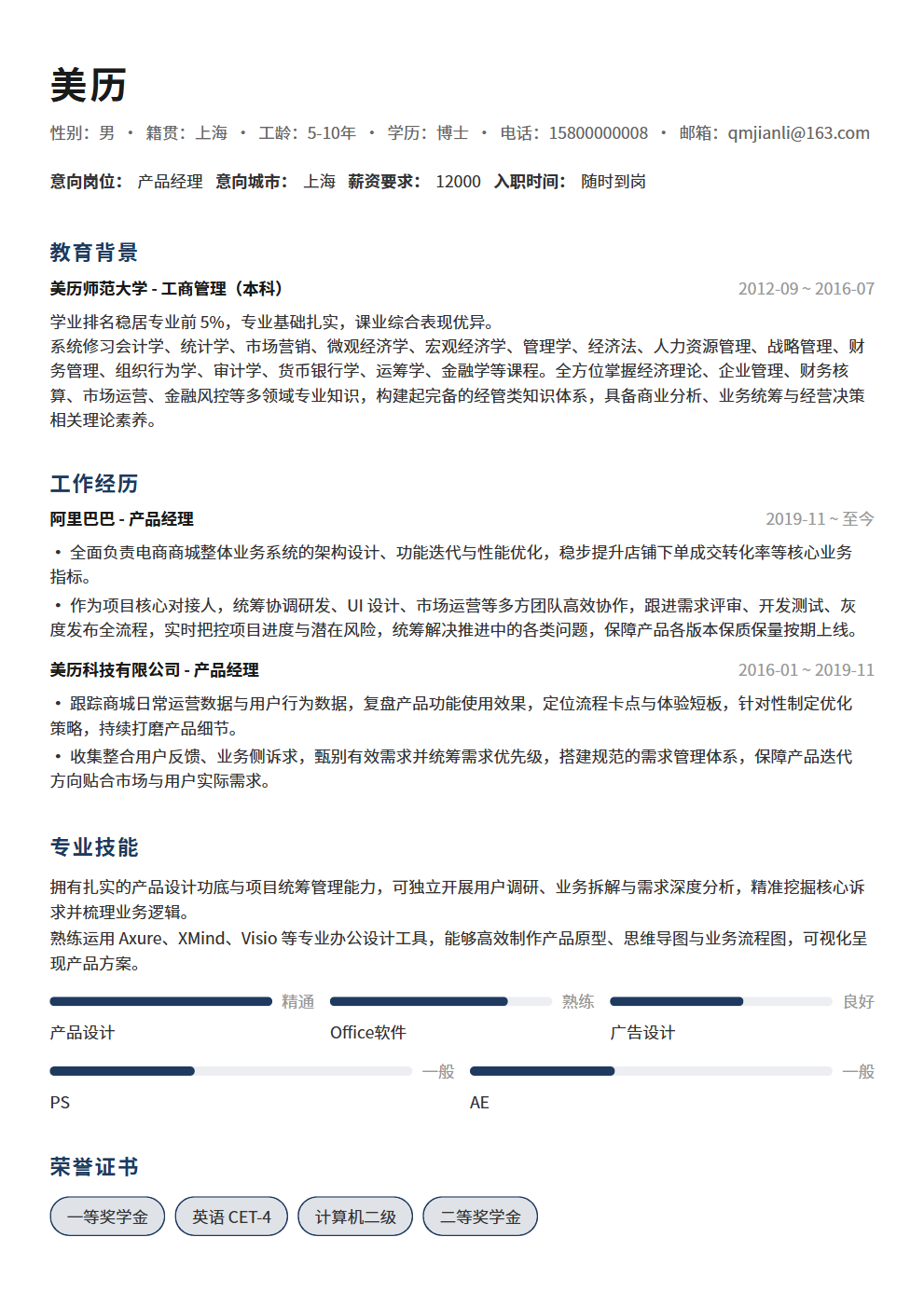
Those dual-column designs, chart visualizations, and creative layouts are disasters for ATS systems. ATS can't read text in images, can't parse complex tables, and can't read dual-column layouts. The only standard for ATS-friendly templates: clean, single-column, primarily text-based. Save creativity for your portfolio — resumes should return to simplicity.
If you really want to showcase design skills, prepare two resume versions: an ATS-friendly clean version for online applications, and a design version for showing during interviews or handing directly to HR. Both versions have identical content, just different layouts. This way you won't be blocked by ATS and can still demonstrate aesthetic ability in interviews.
6. Mistake 6: Typos and Grammar Errors
A single typo can make HR question your professionalism. A resume is the most formal job application document — if you can't catch typos, HR worries you'll be equally careless at work. Proofread at least 3 times before submitting: first pass for content logic, second for data accuracy, third for word-by-word proofreading. Have a friend review it too — you're likely to miss your own errors.
Common typo hotspots include: company name spelling, professional terminology capitalization, numbers and units, and date formats. These details seem trivial, but to HR, a resume that misspells a company name instantly scores zero on professionalism.
7. Mistake 7: No Quantified Data — Only Qualitative Descriptions
"Improved team efficiency" "Optimized workflows" "Enhanced customer satisfaction" — to HR, these say nothing. Achievement descriptions without data are worse than no description at all. Convert all qualitative statements to quantitative ones: "Efficiency improved 30%" "Process reduced from 5 steps to 3" "Satisfaction increased from 85% to 95%." Numbers are the universal language — HR understands at a glance.
The challenge with quantification — some work is genuinely hard to measure. For example, "responsible for team culture building" — how do you quantify that? The method is finding indirect metrics: team turnover dropped from 20% to 8%, employee satisfaction survey scores rose from 3.2 to 4.5, internal event participation increased from 40% to 90%. Indirect metrics are equally persuasive — the key is whether you're willing to find them.
8. Mistake 8: Resume Lacks Targeting for the Position
Many resumes appear content-rich, but after reading, HR can't tell what position the applicant is targeting. A resume without targeting is like shooting without aiming — no matter how much firepower, you won't hit the target. Every section of your resume should revolve around the target position — no matter how impressive, irrelevant experiences must be cut.
How to test targeting: cover the target position name and ask a friend to guess what role you're applying for. If they can't tell, your resume lacks targeting. The ideal state: HR can determine your target position from the resume content alone, and feels you're an excellent match.
Summary
Resume rejections often aren't about ability — they're about format, keywords, and details going wrong. Check each of the 8 fatal mistakes — fixing each one boosts your pass rate. Your resume is the first bridge between you and HR; don't let basic errors destroy your interview chances. Spending 1 hour optimizing your resume from start to finish beats sending 100 unpolished resumes. A resume without obvious flaws is the minimum threshold for landing interviews — cross this threshold, and your real abilities finally get the chance to be seen.