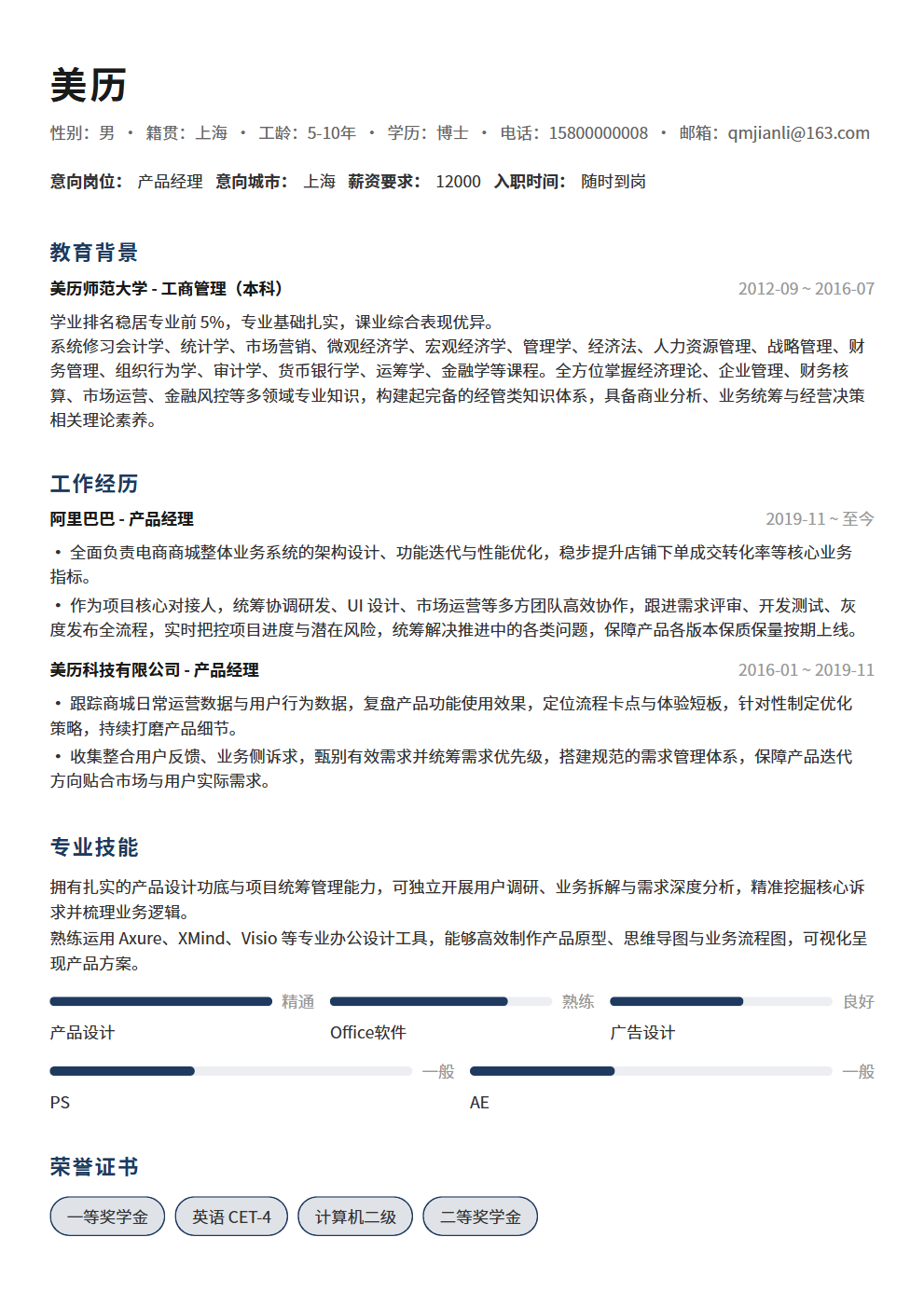
5 Resume Formatting Mistakes That Get You Instantly Rejected by HR — Your Resume Might Be Eliminated for Format Issues Alone
Great content means nothing if your formatting fails. The 5 most common resume formatting mistakes — inconsistent fonts, uneven spacing, information overload, buried highlights, and incompatible formats — help you check each one so HR actually reads your resume to the end.
Resume Formatting — HR Rejects You Before Reading a Single Word
HR spends an average of 6 seconds scanning a resume. What can they see in 6 seconds? Not your carefully crafted sentences, but they can instantly tell if your formatting is a mess. Inconsistent font sizes, erratic paragraph spacing, walls of dense text — with formatting like this, even stellar content won't save you. Formatting isn't decoration; it's the first hurdle that determines whether HR will read your resume at all. Here are the 5 most common formatting mistakes — check how many you're guilty of.
Mistake 1: Font Chaos — Using 3+ Fonts in One Resume
This is the most common formatting disaster. Headings in one font, body text in another, emphasis in yet another — some people even mix different fonts for Chinese and English. Your resume looks like a patchwork. The direct consequence: visually inconsistent, unprofessional, and HR will subconsciously assume your work is equally disorganized.
- The right approach: Use only 1-2 fonts across your entire resume. One for Chinese (try Source Han Sans or Microsoft YaHei), one for English (try Arial or Calibri). You can bold headings, but don't switch fonts.
- Consistent sizing: Body text 10-12pt, headings 14-16pt, your name 18-20pt. Don't shrink to 8pt to "fit more content" — if HR can't read it, they'll skip it.
- Never use: Decorative fonts, handwriting fonts, or Comic Sans. You think it shows personality; HR thinks it shows poor judgment.
Mistake 2: Uneven Spacing — Line Height, Paragraph Gaps, and Margins Are All Over the Place
Open a resume and the first paragraph has 1.5x line spacing, the second drops to 1.0x. Some sections have blank lines between them, others don't. Left and right margins are lopsided — this resume looks like it was never proofread. Uneven spacing makes HR's eyes jump around, creating a terrible reading experience.
- Consistent line spacing: 1.2-1.5x across the entire document. Below 1.2x is too cramped; above 1.5x is too loose. 1.3-1.4x is the sweet spot — compact yet clear.
- Consistent paragraph spacing: One blank line between each section (Education, Work Experience, Skills, etc.), no blank lines within a section. Use a consistent spacing logic so HR can see the structure at a glance.
- Consistent margins: At least 1cm on all sides, ideally 1.5cm. Don't shrink margins to 0.5cm just to fit more text — a wall of text just gives HR a headache.
Mistake 3: Information Overload — 800 Words Crammed onto One Page with No White Space
Some people think more content is better, cramming in every experience since childhood. The result: a page packed with text, no white space, no visual focal points — HR takes one look and feels exhausted. The root problem with information overload: you don't know what to include and what to cut, so you include everything.
- The one-page rule: Under 3 years of experience, one page; over 5 years, two pages maximum. HR won't be impressed by three pages — they'll think you can't distill key points.
- White space is mandatory: Leave at least 15%-20% of the page blank. White space isn't wasted space — it gives HR's eyes room to "breathe" and lets key information stand out.
- Content-cutting priority: First, cut experiences unrelated to the target role. Then, cut outdated work (that internship from 10 years ago can go). Finally, cut redundant phrasing.
Mistake 4: Buried Highlights — Bolding Everything or Nothing at All
Some resumes have no bold text at all — everything looks the same and HR can't find the key points. Others bold everything — company names, job titles, dates, keywords in every sentence. When everything is bold, nothing is bold. Without clear highlights, HR can scan for 6 seconds and still not know what you've accomplished.
- Only bold "decision-point" information: Bold company names and job titles so HR can immediately see your career path. Bold key metrics (like "increased conversion rate by 30%") so achievements pop. Nothing else should be bold.
- Use bullet points instead of long paragraphs: List 3-5 core achievements under each role using bullet points — far more readable than a 200-word paragraph. Keep each bullet under 30 words.
- Reverse chronological order: Most recent experience goes first. HR cares most about what you've been doing lately, not what you did 5 years ago.
Mistake 5: Format Incompatibility — Opens as Gibberish on Someone Else's Computer
You created your resume on a Mac; HR opens it on Windows and the formatting is destroyed. You used WPS; HR opens it in Office and everything shifts. You sent a Word document and all the fonts revert to SimSun — these problems are incredibly common. No matter how beautiful your formatting is, incompatibility makes it worthless.
- Always send PDF: PDF displays consistently across all devices with no garbled text or formatting shifts. Only use Word when editing is needed (like when a recruiter is revising your resume).
- Embed fonts: If you must send Word, check "Embed fonts" when saving to ensure fonts don't change when the recipient opens it.
- File naming: Don't use "Resume.pdf" or "New Document.pdf." Use "Name-Role-Years of Experience.pdf" (e.g., "Zhang San-Product Manager-3 Years.pdf"). HR receives dozens of resumes — if all filenames are the same, they can't tell anyone apart.
Formatting Is Your Resume's "First Impression" — Don't Let Format Issues Undermine Your Content
No matter how impressive your experience or how outstanding your achievements, if HR opens your resume and sees a formatting mess, they'll close it within 6 seconds. Consistent fonts, even spacing, proper white space, clear highlights, and compatible formats — these 5 things require no design skills, just careful checking. Spending 10 minutes checking formatting issues is more effective than spending 10 hours polishing content. If you don't want to spend time on formatting, try BeautyResume's resume editor — professional layout templates automatically align fonts and spacing, one-click PDF export ensures format compatibility, letting you focus on content instead of format.