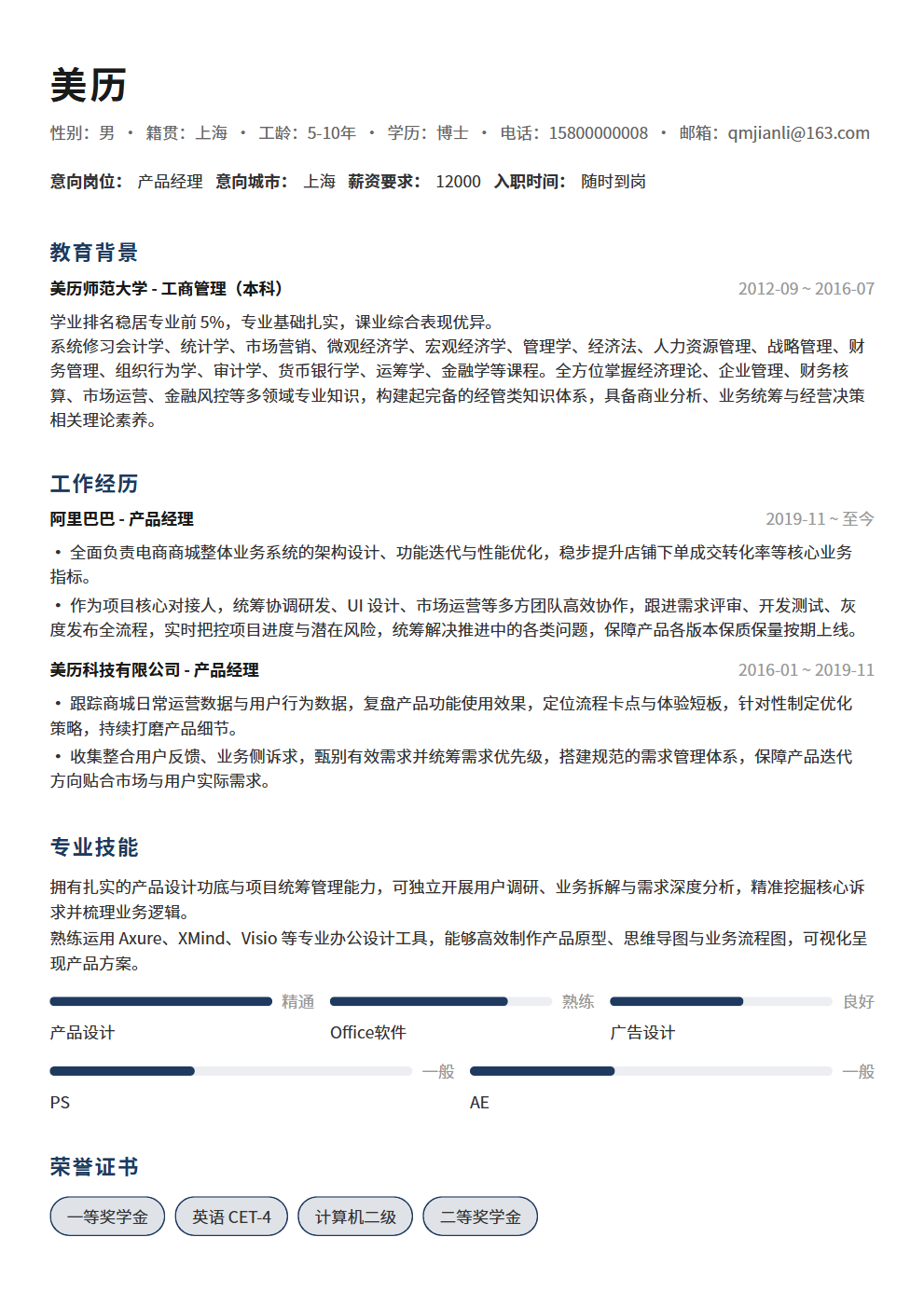
8 Reasons Your Resume Gets Rejected in Seconds — You Might Be Crossing These Red Lines
HR spends an average of just 6 seconds on each resume. 8 red lines that get your resume instantly rejected: typos, inappropriate photos, disorganized information, lack of data, flashy templates, vague job objectives, job-hopping, and unreasonable salary demands. Each red line comes with specific fixes to help you avoid resume rejection traps.
HR spends an average of just 6 seconds on each resume. Within those 6 seconds, if your resume crosses any red line, it goes straight into the "rejected" folder. 8 most common instant-rejection reasons — from typos to flashy templates — each one could be the real reason your resume disappears into the void.
Red Line 1: Typos and Grammar Errors — The Most Unforgivable Basic Mistake
You might think one or two typos are harmless, but to HR, typos signal: you don't pay attention to detail, you're not careful in your work, and you don't take this job application seriously. If someone can't even proofread their own resume, how can HR trust them to do good work?
- Why typos are so devastating: When HR screens resumes, typos are the easiest "hard flaw" to spot — no professional judgment required, anyone can see them. And once a typo is noticed, HR will question your entire resume: if you can't even spell names correctly, who knows if your project data is also wrong? One typo can cause HR to dismiss your entire resume.
- Most common types of typos: Company name errors (writing "ByteDance" as "ByteDence"), job title errors (writing "Product Manager" as "Product Manger"), technical term errors (writing "Java" as "java" or "JAVA" — case errors are fatal for technical roles), date contradictions (same experience listed with different start/end dates in different places), contact information errors (phone number missing a digit, extra space before @ in email). These errors seem minor, but each one could prevent HR from reaching you or make them question your authenticity.
- How to fix it: First, read through your resume at least 3 times after writing — first pass for content logic, second pass for wording, third pass exclusively for typos and punctuation. Second, use spell-check tools — Word and Google Docs have built-in spell checking, but don't rely on them completely; they won't catch homophone errors like "manger" vs. "manager." Third, have someone else review it — you'll have "selective blindness" reading your own work; others spot errors more easily. Fourth, sleep on it — write your resume, sleep, and re-read the next day; you'll catch errors you missed the night before.
- Special reminder: Punctuation matters too. Mixing punctuation styles (English comma followed by Chinese period), inconsistent full-width/half-width characters, unmatched quotation marks — these all look unprofessional to HR. Your resume is your first impression on a company; punctuation is like your outfit details — people may not consciously notice, but once they spot an error, your impression score drops significantly.
Red Line 2: Inappropriate Photos — One Photo Can Destroy an Entire Resume
Resume photos aren't mandatory, but if you include one, it must be professional. An inappropriate photo is 100x worse than no photo at all.
- What kind of photos get instant rejections: Selfies (tilted head, peace signs, beauty filters), lifestyle photos (travel, dining, sports), over-edited photos (so filtered you're unrecognizable), inappropriate attire (sunglasses, tank tops, dyed colorful hair), cluttered backgrounds (home, mall, street). These photos signal: you don't understand workplace norms, or you don't care about them. Either way, HR won't give you an interview.
- How to do resume photos right: First, use a professional headshot — white or blue background, business or business-casual attire, natural smile. Second, appropriate size — don't use a half-page portrait, but don't make it so small your features are unclear. Third, keep it recent — don't use a 5-year-old photo; if you look significantly different at the interview, it backfires. Fourth, if you don't have a good professional photo, don't include one — no photo won't cost you points, but a bad photo definitely will.
- Cultural differences regarding photos: Foreign companies and tech companies are relatively more tolerant of photos; some even recommend not including one (to avoid appearance discrimination). But state-owned enterprises, banks, consulting firms, and other traditional industries practically require professional headshots. Research the industry culture of your target company before deciding whether to include a photo. When in doubt, omitting is safer than including a questionable one.
- Photo format and clarity: Blurry, low-pixel, or incorrectly formatted photos (BMP files are huge) all undermine your resume's professionalism. Photo resolution should be at least 300dpi, file size under 100KB, in JPG or PNG format. If the photo doesn't load or displays incorrectly, you're better off without one.
Red Line 3: Disorganized Information — HR Can't Find What They're Looking For
HR spends only 6 seconds on your resume. If your information is disorganized and HR can't find what they need in those 6 seconds, your resume gets skipped. Disorganized information isn't a content problem — it's a structural problem. You have good content, but HR can't see it.
- Three manifestations of disorganized information: First, illogical section order — putting self-evaluation first and burying work experience on page two, forcing HR to search for core information. Second, no clear highlights — 10 bullet points per work experience, each saying "participated in XX" or "assisted with XX," making it impossible for HR to identify your core contributions. Third, messy formatting — inconsistent font sizes, misaligned text, erratic spacing, looking like a patchwork from different templates.
- The correct information organization logic: HR's reading order for resumes is — name and contact info → current/most recent work experience → core skills → education. Your resume structure should follow this reading order. Put the most important information first, so HR can determine "is this person worth reading further" within 6 seconds.
- How to fix it: First, use a standard resume structure — Personal Info → Work Experience → Project Experience → Skills → Education. Second, limit each work experience to 3-5 bullet points, each using the "action + result" format — "Optimized System X, reducing response time by 80%" is 10x clearer than "Participated in optimization of System X." Third, use bold to highlight key numbers and keywords — HR's eyes land on bold text first when scanning; bold your most impressive results.
- The hidden cause of disorganized information: Often, disorganization isn't because you can't format — it's because you haven't figured out what you want to communicate. Before writing your resume, spend 10 minutes clarifying three questions: What are my 3 biggest career achievements? Why am I a good fit for this role? What information does the interviewer most want to see? Once you've answered these, your resume structure will naturally fall into place.
Red Line 4: No Data — Nothing But Subjective Descriptions Throughout
"Responsible for XX work," "Optimized XX system," "Improved XX efficiency" — if your resume is full of data-free descriptions like these, HR will assume your achievements aren't worth mentioning. Because genuinely impressive results can always be quantified.
- Why data-free resumes get instant rejections: HR reads hundreds of resumes daily; data-free descriptions are just "noise" to them — "optimized system performance" is written by 99 out of 100 people and completely fails to distinguish who did it well. But "Reduced system response time from 3 seconds to 0.3 seconds, a 10x improvement" can only be written by someone who actually did it. Data is the only standard that separates "did it" from "did it well."
- What content must include data: Work results (how much growth, how much reduction, how much savings), project scale (user count, data volume, team size), business metrics (conversion rate, retention rate, DAU), technical metrics (QPS, response time, availability), efficiency improvements (time saved, headcount reduced, automation percentage). If your resume doesn't have a single number in these areas, HR will seriously question the substance of your work.
- How to fix it: Add data to every "verb + noun" description in your resume. "Responsible for user growth" → "Responsible for user growth, increasing DAU from 50K to 300K in 6 months, 500% growth." "Optimized search functionality" → "Optimized search algorithm, improving search accuracy from 72% to 91% and reducing search response time from 800ms to 120ms." Ask yourself for every bullet point: Can I add a number? If yes, add it.
- Alternatives when data is insufficient: If you truly don't have precise data, use reasonable estimates — words like "approximately," "over," "nearly" combined with order-of-magnitude numbers work. "Approximately 100K DAU," "Processed over 1TB of data," "Nearly 3x efficiency improvement" — having an order of magnitude is 100x better than having no data at all. But be careful: estimates must be reasonable; don't exaggerate for appearance, or you'll be embarrassed when probed in interviews.
Red Line 5: Flashy Templates — Design Overpowers Content
Many people think the better-looking the resume, the more likely it gets noticed, so they use all sorts of flashy templates — colorful backgrounds, icon decorations, infographics, creative layouts. But HR isn't attending a design exhibition when reviewing resumes; flashy templates actually interfere with information extraction, making it harder for HR to find what they need.
- Three problems with flashy templates: First, low information extraction efficiency — HR needs to find key information in 6 seconds; flashy layouts scatter information across different locations, increasing reading cost. Second, ATS incompatibility — many companies use ATS (Applicant Tracking Systems) to automatically screen resumes; flashy template layouts prevent ATS from correctly parsing your information, getting you filtered out by the system. Third, lack of professionalism — unless you're applying for a design role, flashy templates make HR think you've spent energy on the wrong things.
- What makes a good resume template: Clean, clear, professional. White background, black body text, one font, consistent font size hierarchy, adequate white space, clear information sections. A good resume template is "transparent" — HR doesn't notice the template because all attention is on your content. If your template is more eye-catching than your content, you've got it backwards.
- How to fix it: First, choose a clean, professional template — single or dual column layout, white background with black text, at most one accent color. Second, delete all decorative elements — icons, color blocks, progress bars, infographics look nice but don't help convey information. Third, ensure ATS compatibility — use standard fonts (like Arial, Calibri), avoid text boxes and text within images, use standard section headers (like "Work Experience" not "My Journey").
- Exception for design roles: If you're applying for UI/UX designer, graphic designer, or other creative positions, you can appropriately showcase design ability in your resume, but the prerequisite is that information remains clearly readable. Design sense is a bonus; readability is the baseline — if HR can't read your work experience, even the most beautiful design is useless. Recommendation: prepare two resumes for design roles — a creative version to showcase design ability, and a standard version for ATS screening.
Red Line 6: Vague Job Objective — HR Doesn't Know What You Want
If your resume lacks a clear job objective, or the objective is too broad, HR will skip right over it — because they don't know which candidate pool to put you in.
- Three manifestations of vague job objectives: First, no objective at all — HR doesn't know which position you're applying for, especially at large companies hiring for multiple roles simultaneously; resumes without objectives get ignored. Second, overly broad objectives — "Seeking a position with growth potential" or "Hope to join your company" — these are equivalent to writing nothing for HR. Third, mismatch between objective and actual position applied for — objective says "Product Manager" but you applied for an "Operations" role; HR will assume you're mass-applying and not serious.
- How to write job objectives correctly: Be specific to the position name, ideally with industry or specialization — "Back-end Developer (Java)," "Product Manager (B2B SaaS)," "Data Analyst (E-commerce)." The more specific, the easier for HR to judge fit. If you're qualified for multiple roles, prepare different resume versions, each with an objective tailored to the specific position.
- How to fix it: First, write only one position per resume objective — don't write "Product Manager / Operations / Project Management"; this tells HR you don't know what you want. Second, your objective must align with resume content — if you write "Data Analyst" but your resume is full of marketing experience, HR will question your sincerity. Third, when applying to large companies, include the specific position code in your email subject or objective — "Applying for Product Manager (Position Code: PM-2026-001)" is more professional than just "Applying for Product Manager."
- Should you include a separate objective section: If you're applying through job boards, you usually don't need a separate objective (since you've already selected the position when applying). But if you're sending your resume directly via email or through referrals, the objective must be clearly stated — otherwise HR has to guess which position you're applying for, adding communication cost.
Red Line 7: Frequent Job-Hopping — Stability Is a Hard Screening Criterion for HR
5 companies in 3 years — this resume screams "high risk" to HR. The training investment hasn't been recovered before you leave; who would hire you? Frequent job-hopping isn't an ability issue — it's a stability issue, and stability is a hard screening criterion at many companies.
- How HR views frequent job-hopping: Most companies define "frequent job-hopping" as 3 or more companies within 3 years. HR's concerns: First, you may not adapt well to company culture, unable to settle in any new environment. Second, you may lack depth — each experience is too short; you left before achieving results. Third, you might not stay if hired — recruiting someone is expensive; if you leave again after 6 months, the hire was a failure.
- Which job changes are reasonable: Company closure/layoffs (not personal reasons), contract non-renewal (e.g., outsourcing projects), clear upward trajectory (from small company to large, from specialist to supervisor), industry transition (with clear career planning). HR can understand these, but you need to provide reasonable explanations in your resume.
- How to fix it: First, consolidate short stints — if two experiences are only 1-2 months apart with similar work content, consider presenting them together. Second, highlight achievements for each experience — even if short, show what you did and accomplished, proving you weren't just "coasting." Third, proactively explain in interviews — don't wait for HR to ask; volunteer the reasons for job changes, demonstrating your career planning is clear. Fourth, if your most recent experience has been stable for 1-2 years, emphasize it — proving you've found your direction and are no longer in frequent job-hopping mode.
- About "embellishing" your resume: Some people extend the duration of certain experiences to mask frequent job-hopping — this is resume fraud. If discovered during background checks, your offer will be immediately rescinded. Don't create a bigger problem to cover up a smaller one. Honesty is always the baseline.
Red Line 8: Unreasonable Salary Expectations — Eliminating Yourself Before the Interview
Writing a salary expectation far above market rate on your resume tells HR either "I don't understand the market" or "I have an inflated sense of self-worth" — either way, you'll be eliminated during resume screening.
- What counts as "unreasonable" salary expectations: It's not about the absolute number being high, but being severely mismatched with your experience level and the market rate for the target position. For example, a fresh grad demanding 30K/month, someone with 3 years' experience demanding 1M/year, or asking for 50%+ above the range listed in the job description. HR's first reaction: this person doesn't understand the market, or they're just "testing the waters" and aren't seriously job-hunting.
- Should you write salary expectations on your resume: In most cases, no. Reasons: First, salary is a negotiation outcome, not a unilateral demand — discussing salary after understanding the role and responsibilities in an interview is more reasonable than writing a number on your resume. Second, writing too low cheats yourself; writing too high gets you eliminated — either way, there's risk. Third, many companies have fixed salary ranges; if your expectation falls within range, not writing it won't hurt you; if it exceeds the range, writing it exposes the problem.
- If you must write salary expectations: Some hiring processes require you to fill in expected salary. Write a reasonable range rather than a fixed number — "Expected monthly salary 15K-20K" is more flexible than "Expected monthly salary 18K," leaving negotiation room for both parties. How to determine the range: research the market rate for your target position in your city (job boards, salary reports, peer discussions), and use the median to 75th percentile as your range.
- About "Negotiable": Writing "Negotiable" is the safest approach — it doesn't reveal your floor and won't get you eliminated over a number. But some HR may interpret "negotiable" as you having no idea what you want or having very high expectations. If unsure, the best strategy is: don't write salary expectations on your resume, and discuss after understanding the role and responsibilities during the interview. The initiative in salary negotiations should be earned in the interview, not surrendered on the resume.
Avoid 8 Red Lines and Get Your Resume Past HR's First Screen
8 red lines summarized: Typos and grammar errors (the most unforgivable basic mistake — read 3 times + spell check + peer review + sleep on it), inappropriate photos (one photo can destroy an entire resume — use professional headshots or omit), disorganized information (HR can't find what they need — organize by HR's reading order, 3-5 bullet points per experience using "action + result" format), no data (all subjective descriptions equal noise — ask yourself for every bullet if you can add a number), flashy templates (design overpowers content — choose clean professional templates ensuring ATS compatibility), vague job objective (HR doesn't know what you want — be specific to position name and specialization), frequent job-hopping (stability is a hard screening criterion — highlight achievements per experience and proactively explain in interviews), unreasonable salary expectations (eliminating yourself before the interview — don't write specific numbers on resume, discuss in interview). Remember: HR spends only 6 seconds on your resume; within those 6 seconds, your resume must pass both the "no hard flaws" and "has highlights" tests. If you're checking whether your resume crosses these red lines, try BeautyResume's resume editor — its professional templates and smart checking features help you avoid common mistakes, making your resume stand out in HR's 6-second screening.