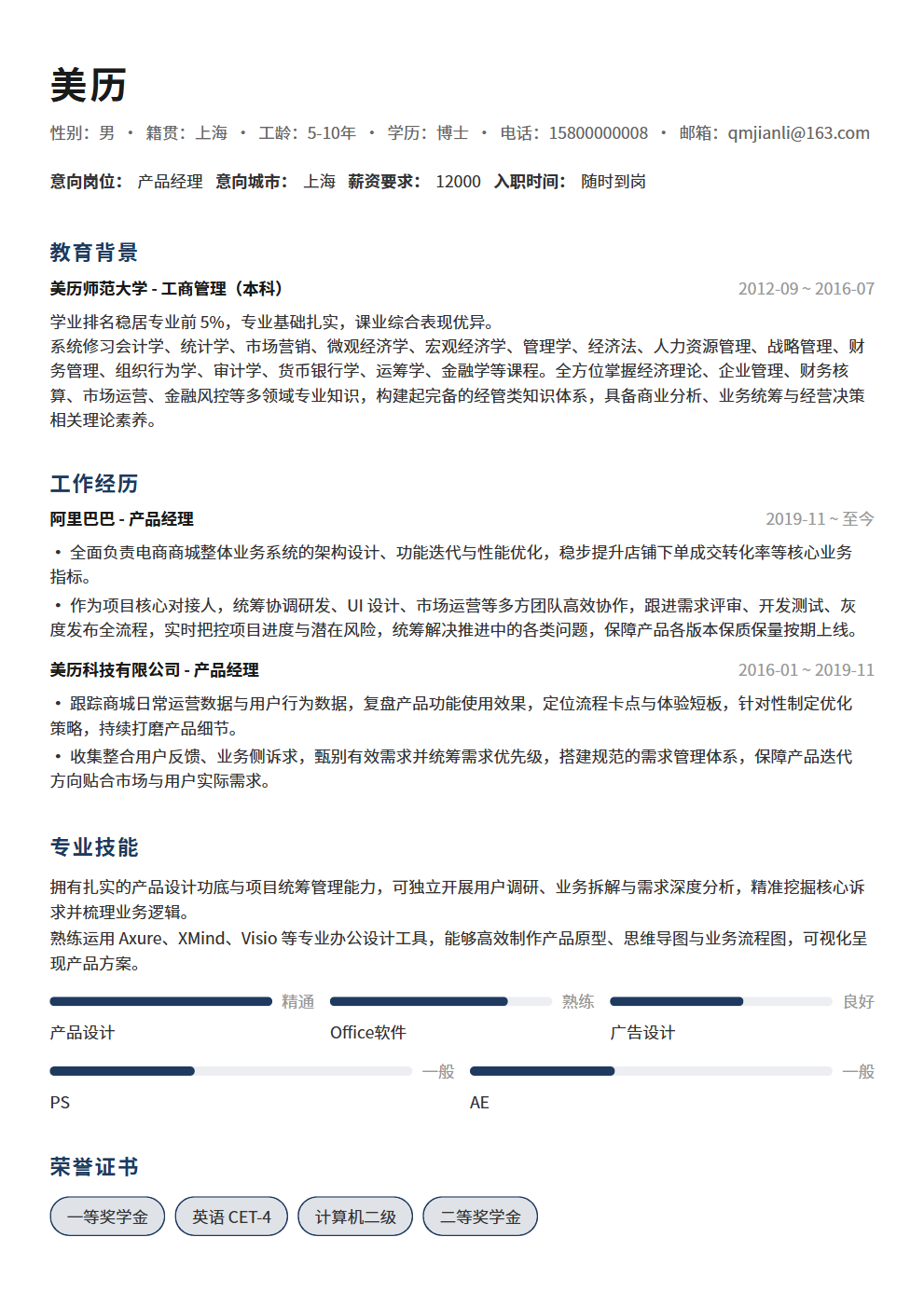
How to Write the Skills Section on Your Resume? 3 Principles to Make Your Skills List More Than Filler
Open your resume and flip to the skills section—is it filled with "Proficient in Office, familiar with Photoshop, basic knowledge of HTML/CSS"?
Open your resume and flip to the skills section—is it filled with "Proficient in Office, familiar with Photoshop, basic knowledge of HTML/CSS"? If you're an administrative assistant, writing "Proficient in Office" is barely acceptable; if you're a product manager, HR will just think: this person's skills section is pure filler. The skills section is the most easily overlooked and most frequently ruined part of a resume. A well-written skills section helps HR quickly assess your fit for the role; a poorly written one not only fails to add points but makes people think you have no marketable hard skills and can only pad the list with Office.
Does Your Skills Section Just List "Proficient in Office"?
Here's a harsh truth: HR spends an average of 6-10 seconds scanning a resume, and the skills section is one of the key areas they focus on. If they scan through and see nothing but "Proficient in Office," "Familiar with Windows," "Basic knowledge of the internet"—skills with zero differentiation—they'll skip right past. These skills don't distinguish you from other candidates, nor do they prove you can handle the target position.
What's worse, the word "Proficient" has been overused to the point of meaninglessness. Many job seekers write "Proficient" for every skill, but when asked about it in interviews, they can't answer basic questions. HR has developed immunity to "Proficient"—you write "Proficient in Excel," they assume you just know VLOOKUP; you write "Proficient in Python," they assume you've followed a tutorial and written a few lines of code. When everyone is "proficient," the word loses all meaning.
The core problem with the skills section isn't what you don't know—it's that you've written too many things you shouldn't, written them too casually, and failed to prove you actually have them. The following 3 principles will help you fundamentally fix your skills section.
Principle 1: Only Include Job-Relevant Skills
This is the most basic and most important principle. The skills section is not your "skill museum"—you don't need to list everything you know. HR cares about one thing: do you have the skills required for the position? Irrelevant skills, no matter how many you list, won't add points—they'll dilute the focus and waste space.
- Bad example: A frontend developer candidate whose skills section reads "Proficient in Office, familiar with Photoshop, basic knowledge of Premiere, can drive, CET-6 English." HR will think: What does Office or driving have to do with frontend development? Photoshop and Premiere show you have diverse interests, but they're not advantages. The HTML/CSS/JavaScript/React/Vue that should be there are buried among irrelevant skills
- Good example: The same candidate should write "HTML5/CSS3 (Proficient), JavaScript/TypeScript (Proficient), React/Vue3 (Skilled), Webpack/Vite (Familiar), Node.js (Basic)." Every item is directly relevant to frontend development—HR can assess your tech stack at a glance
- Decision criteria: Ask yourself one question—"If I removed this skill, would HR think I'm unsuitable for this position?" If the answer is "No," then this skill shouldn't be on your resume. For example, a product manager doesn't need to write "Proficient in Office" because Office is assumed; but they should write "Proficient in Axure/Figma" because these are professional tools for product managers
Principle 2: Grade by Proficiency Level
Don't write "Proficient" or "Familiar" for every skill—this approach has no differentiation, and HR can't judge your actual level. Grade by proficiency so HR can see at a glance which are your core skills and which are supporting ones. More importantly, grading helps you avoid "crashing" in interviews—if you write "Proficient" and the interviewer digs deep but you can't answer, it's worse than not writing it at all.
- Basic knowledge: Know the fundamental concepts, can complete related tasks under guidance. For example, "Basic knowledge of Docker" means you know Docker is a containerization tool, can read a Dockerfile, but haven't independently used it in production. Only include skills at this level that are relevant to your role and may be used in the future—don't list things too far afield
- Familiar: Can independently complete routine tasks, but need to look things up or ask for help with complex problems. For example, "Familiar with Vue3" means you can independently develop standard features using Vue3, know the Composition API and reactivity principles, but need to research complex performance optimization or source-code-level issues. This is a reasonable positioning for most skills
- Skilled: Can efficiently complete various tasks including complex scenarios, and can guide others. For example, "Skilled in Python" means you can independently complete data analysis, web scraping, automation scripts, write clean code, and help colleagues with Python-related issues. This is the level your core skills should reach
- Proficient: Deep understanding of underlying principles, can solve difficult problems, can make architectural decisions. For example, "Proficient in JavaScript" means you understand V8 engine principles, the event loop mechanism, memory management, can build an engineering system from scratch, and can solve any JS疑难 problems the team encounters. Note: use this level carefully—you WILL be tested deeply in interviews
A reasonable skill distribution should be "pyramid-shaped"—Proficient in 1-2 items (core skills), Skilled in 2-3 items (primary skills), Familiar with 3-4 items (supporting skills), Basic knowledge of 1-2 items (expansion skills). Don't have "Proficient in 10 items"—that means your standard for "Proficient" is too low.
Principle 3: Back Up with Specific Scenarios
Just writing skill names and proficiency levels isn't enough—HR and interviewers need evidence to verify your skill level. Using specific scenarios as evidence transforms your skills from "self-proclaimed" to "verifiable." Specific scenarios can be written next to the skill or demonstrated through work experience.
- Writing comparison—Basic: "Skilled in SQL." With evidence: "Skilled in SQL—independently completed 10+ complex query optimizations, reducing slow queries from 30 seconds to under 2 seconds." The latter lets HR and interviewers immediately know your SQL level isn't just theoretical
- Writing comparison—Basic: "Familiar with data analysis." With evidence: "Familiar with data analysis—used Python+Pandas to process million-level user behavior data, produced 3 analysis reports adopted by the business." The latter shows HR you can not only use tools but also produce business value
- Writing comparison—Basic: "Proficient in Figma." With evidence: "Proficient in Figma—completed 20+ mobile product designs using Figma, built a team design system with 200+ components." The latter shows HR your "proficiency" isn't just talk
- 3 elements of evidence scenarios: What you did (specific task), What you used (tools/methods), What the result was (data/outcomes). All three are essential, especially the result—evidence without results has greatly reduced persuasiveness
Skill List Templates for 5 Common Positions
Skill lists vary greatly across positions. Here are templates for 5 common positions to help you quickly build your skills section. Note: these are templates—adjust the content and proficiency levels based on your actual situation.
- Frontend Developer: HTML5/CSS3 (Proficient)—semantic tags, Flex/Grid layout, responsive design, CSS animations; JavaScript/TypeScript (Proficient)—ES6+ syntax, async programming, type system, modularization; React/Vue3 (Skilled)—component development, state management, performance optimization, SSR; Webpack/Vite (Familiar)—build configuration, plugin development, performance tuning; Node.js (Basic)—Express/Koa, middleware, API development
- Product Manager: Requirements Analysis (Proficient)—user research, competitive analysis, requirement prioritization, PRD writing; Prototyping (Skilled)—Axure/Figma high-fidelity prototypes, interaction design, user flow diagrams; Data Analysis (Skilled)—SQL queries, data dashboards, A/B testing, user behavior analysis; Project Management (Familiar)—agile development, Sprint planning, cross-department coordination, risk management; User Growth (Basic)—growth models, funnel analysis, retention strategies, viral mechanisms
- Data Analyst: SQL (Proficient)—complex queries, window functions, query optimization, data modeling; Python/R (Skilled)—Pandas data processing, Matplotlib/Seaborn visualization, statistical analysis; Data Visualization (Skilled)—Tableau/PowerBI dashboard design, chart selection, data storytelling; Statistics (Familiar)—hypothesis testing, regression analysis, A/B testing, sampling methods; Machine Learning (Basic)—classification/clustering algorithms, feature engineering, model evaluation
- UI Designer: Figma/Sketch (Proficient)—component library building, design systems, Auto Layout, prototype interaction; Visual Design (Proficient)—color theory, typography standards, icon design, brand visuals; Interaction Design (Skilled)—user flows, information architecture, interaction specifications, usability testing; Motion Design (Familiar)—Lottie animations, micro-interactions, transition design, After Effects; Frontend Basics (Basic)—HTML/CSS fundamentals, responsive principles, developer handoff specifications
- Marketing Operations: Content Operations (Proficient)—topic planning, copywriting, content distribution, data review; Social Media (Skilled)—WeChat/Xiaohongshu/Douyin operations, KOL collaboration, community management; Data Analysis (Skilled)—Google Analytics, conversion funnels, ROI analysis, user profiling; Event Planning (Familiar)—online/offline event planning, budget management, execution tracking, effectiveness evaluation; SEO/SEM (Basic)—keyword optimization, bid ranking, landing page optimization, search trends
3 Skills You Should Never Write
Some skills on your resume not only fail to add points but actually subtract them. Remove the following 3 categories from your resume.
- Never write: Generic basic skills. "Proficient in Office," "Familiar with Windows," "Can type," "Can send emails"—these are default skills for any professional; writing them tells HR "I have nothing special." Unless you're applying for an administrative role where Office is your core tool, don't include them. Similarly, "Can drive" or "Can cook" shouldn't appear unless you're applying to be a driver or chef
- Never write: Unverifiable soft skills. "Strong communication skills," "Fast learner," "Good under pressure"—these soft skills aren't forbidden, but they don't belong in the skills section. The skills section is for hard skills—skills that can be verified through tests, portfolios, and projects. Soft skills should be demonstrated through specific examples in your work experience, not self-proclaimed. You say you have "strong communication skills"—why should HR believe you? But if you write "Coordinated 5 departments to complete a cross-team project, delivered on time," your communication skills are naturally demonstrated
- Never write: Outdated or irrelevant skills. "Proficient in Dreamweaver," "Familiar with Flash," "Basic knowledge of IE6 compatibility"—these skills are outdated and will only make people think your tech stack is stuck a decade in the past. "Proficient in Wubi input method," "Familiar with fax machine operation"—these skills are irrelevant to most positions and just waste space. Regularly review your skills section, remove outdated and irrelevant skills, and keep your skill list current and targeted
Conclusion: The Skills Section Is Not for Filler
The skills section is the most easily ruined part of a resume—listing too many irrelevant skills, marking everything as "Proficient," lacking specific scenario evidence—these practices only make HR think your skills section is filler. Remember the 3 principles: only include job-relevant skills so HR can quickly assess your fit; grade by proficiency level so HR can see your core and supporting skills; back up with specific scenarios so HR believes you have real skills, not just theoretical knowledge. Remove generic basic skills, unverifiable soft skills, and outdated irrelevant skills—make every line of your skills section valuable. A good skills section doesn't need to be long, but every item should make HR think: this person really does have the skills we need.
Still struggling with how to write your skills section? Use BeautyResume—built-in skill templates for various positions, generate a professional skills list with one click, making every line of your skills section precise and powerful.