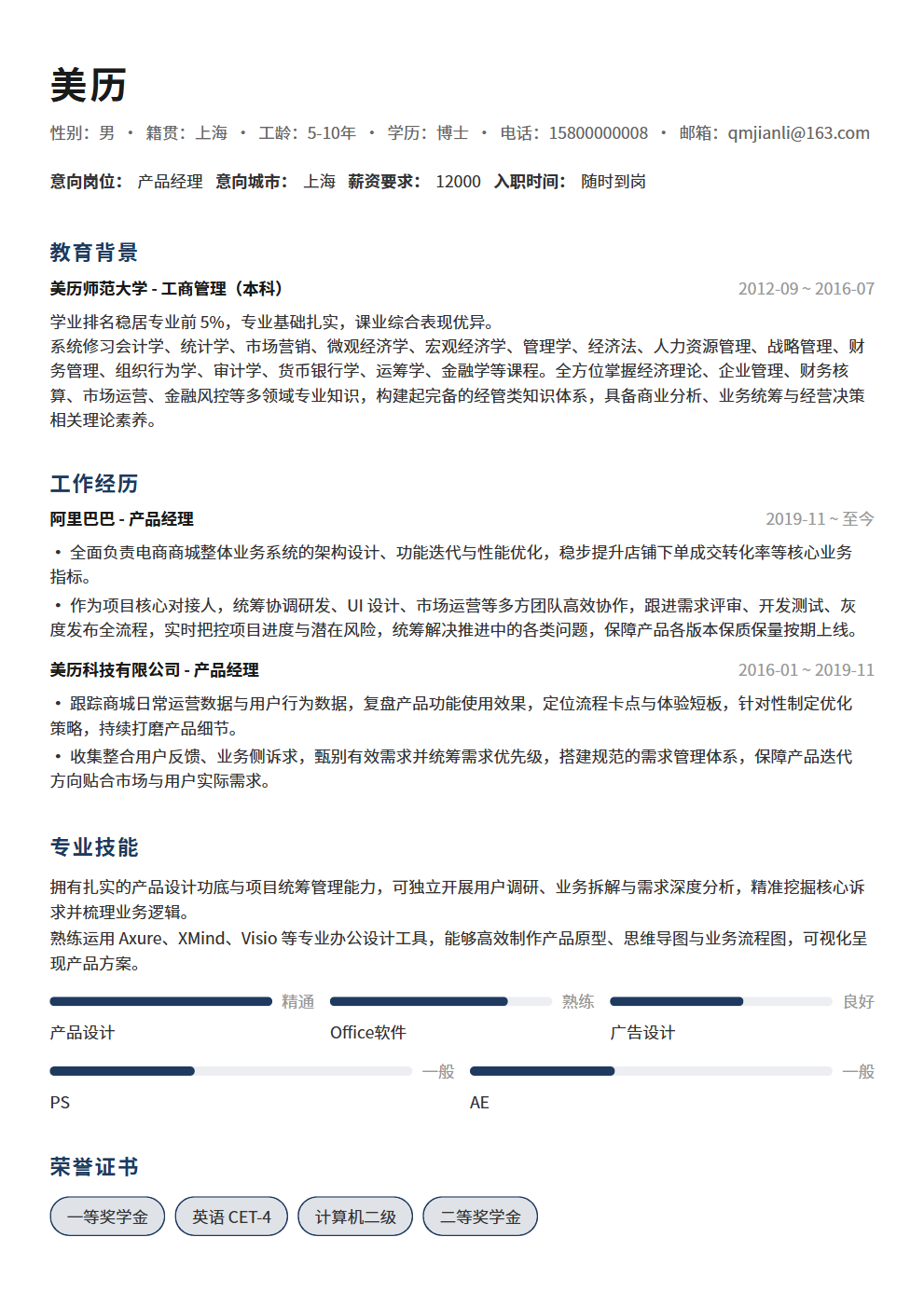
How to Choose a Resume Photo? 5 Standards to Ensure Your Photo Doesn't Cost You Points
Choosing the wrong resume photo costs you points—5 standards (professional ID photo, appropriate attire, natural expression, clean background, proper size), which industries require photos and which don't, plus common photo mistakes to avoid.
Choose the wrong resume photo, and HR deducts points the second they open your resume—selfies, over-edited images, casual attire, messy backgrounds—these mistakes are more damaging than you think. 5 standards help you pick the right photo, plus which industries require photos and which don't.
1. How Important Is Your Resume Photo? Why the Wrong Choice Costs Points Immediately
Many people think resume photos don't matter—"skills are what count, not appearance." But reality check: HR spends an average of 6-10 seconds on each resume, and the first thing they see is your photo. A well-chosen photo makes HR think "professional, reliable"; a poorly chosen one makes them think "careless, doesn't take this seriously." At the screening stage, first impressions determine whether your resume gets read further.
- Your photo is the "first impression": Psychological research proves that first impressions of strangers form within 7 seconds—HR reads resumes the same way. Your photo is the first element HR sees, and it sends signals faster than text: a professional photo signals "serious, reliable, career-minded," while a casual photo signals "doesn't care, unprofessional, lackadaisical." You might think "photos don't represent ability," but HR's subconscious judgment won't wait for your explanation
- Your photo is a "preview" of your professional image: A resume photo is essentially a preview of your professional persona—it tells HR "this is roughly what this person would look like at work." A well-dressed, professionally composed photo makes HR think "this person could represent the company"; a casually dressed, relaxed photo makes HR wonder "could this person handle client-facing work?" For sales, marketing, PR, and other external-facing roles, photo quality matters even more
- A bad photo is an "active deduction": A good resume photo won't necessarily earn bonus points (because it's "expected"), but a bad one will definitely cost points (because it shows you "couldn't meet basic expectations"). An unprofessional photo tells HR "I couldn't even be bothered to prepare a proper photo—do you expect me to take work seriously?" Once this negative association forms, even strong content below won't recover it
- Photos are a screening efficiency tool: Large companies receive hundreds of resumes per position, and HR needs to screen quickly. Photos are one auxiliary screening tool—not about judging appearance, but assessing "professionalism level" through the photo. A professional ID photo shows "this person understands workplace norms and pays attention to detail"; a casual selfie suggests "this person may not understand professional standards." When resumes overflow, HR prioritizes reading those that "look more professional"
2. Standard One: Professional ID Photo—The Only Correct Choice for Resume Photos
There's only one correct choice for resume photos: a professional ID photo. Not a selfie, not a lifestyle shot, not an artistic portrait, not a vacation photo—a proper, professional ID photo. This isn't about aesthetics—it's about professional standards.
- Why must it be an ID photo?: ID photos are the internationally accepted standard for professional imagery—they signal "formal, standardized, professional." Selfies signal "casual, informal"; lifestyle shots signal "this is social media, not a resume"; artistic portraits signal "I'm showcasing personality, not applying for a job." Job searching is a formal professional activity, and your photo must match the formality of the occasion
- Where to get an ID photo taken?: First choice is a professional ID photo studio—they have proper lighting, backgrounds, and retouching, producing results 10x better than selfies. On a budget? At least use an automated ID photo booth—still much better than phone selfies. Don't use your phone's front camera—the angle, lighting, and clarity are all subpar, and HR can spot a selfie instantly
- Retouching boundaries for ID photos: Moderate retouching is fine—removing blemishes, evening out skin tone, slight brightness adjustment. But don't over-edit—face slimming, eye enlarging, skin smoothing until texture disappears creates a photo that looks nothing like you. At the interview, HR will feel "deceived." The principle: "look slightly better than in person, but still recognizable at the interview." Remember: the goal of a resume photo is to appear professional, not pretty
- How often to update your photo?: Resume photos should be updated within 2 years—if your photo looks noticeably different from your current appearance (different hairstyle, weight change, new glasses), retake it. At the interview, HR will compare your resume photo to the real you—if there's a big gap, HR's first thought is "this person doesn't even keep their resume updated." Updating your photo within 2 years shows basic respect for the job search process
- Photo types to never use: ❌ Selfies (wrong angle, poor lighting, informal) ❌ Lifestyle shots (messy background, casual attire) ❌ Artistic/glamour shots (over-edited, unrealistic) ❌ Vacation/travel photos (completely wrong context) ❌ Group photos (HR doesn't know which one is you) ❌ Pet/landscape photos (this isn't social media) ❌ Over-beautified photos (too different from reality at interview)
3. Standard Two: Appropriate Attire—What You Wear Matters More Than You Think
The attire in your resume photo is a key basis for HR to judge your "level of professionalism." What you wear for the photo isn't something to take lightly—it directly affects HR's first impression of you.
- General principle: Business formal or business casual: Men—suit jacket + dress shirt + tie (for formal industries like finance, law, consulting), or dress shirt + dress pants (for flexible industries like tech, internet). Women—blazer + blouse/top (formal industries), or professional-looking top (flexible industries). The core principle: "one level more formal than the target role's daily dress code"—if the company wears T-shirts daily, a dress shirt in your photo suffices; if they wear dress shirts, add a blazer
- Attire strategy by industry: Finance/Law/Consulting—must be formal, suit and tie is standard, it's industry norm. Internet/Tech—business casual is fine, dress shirt + dress pants or professional top. Creative/Design—can show slight personality, but don't go too casual; a clean dress shirt or minimalist professional outfit works. Education/Healthcare—neat and appropriate, white coat (healthcare) or formal attire (education). Service industry—professional uniform or formal attire, showing service awareness
- Color choices for attire: Dark colors (navy, dark gray, black) are safest—signaling "professional, steady." White shirts are a classic choice—clean, formal, foolproof. Avoid overly bright colors—bright red, yellow, neon appear too informal in ID photos. Stripes and plaids should be used cautiously—they can create moiré effects in photos, hurting visual quality
- Keep accessories minimal: Men—watches are fine, necklaces and bracelets are not. Women—small stud earrings are fine, statement earrings and necklaces are not. Glasses—if you wear them daily, wear them in the photo, but ensure lenses don't reflect light. The principle: "accent, not distraction"—HR's attention should be on your face, not your accessories
- Common attire mistakes: ❌ Wearing T-shirts/hoodies for resume photos (too casual) ❌ Low-cut/spaghetti strap tops (not formal) ❌ Flashy patterns/large logos (distracting) ❌ Athletic/leisure wear (doesn't match professional context) ❌ Attire mismatched with target industry (T-shirt for finance, overly stiff suit for creative)
4. Standard Three: Natural Expression—Smile Without Exaggeration, Confident Without Arrogance
The expression in your resume photo is a subtle signal HR uses to judge your "personality and communication skills." Too stiff looks "insecure," too exaggerated looks "unprofessional"—find that balance of "natural, confident, approachable."
- Best expression: Slight smile + direct eye contact: Slight smile—corners of mouth slightly upturned, teeth not showing or barely showing. Eyes looking directly at the camera—don't look up, down, or sideways; direct eye contact signals "confident, sincere." The slight smile + direct gaze combination is the "gold standard" for resume photos—professional yet approachable
- Why not a blank expression?: A blank expression signals "cold, hard to approach"—when HR sees a face with no expression, their subconscious thinks "this person might be difficult to communicate with." Especially for roles requiring teamwork and client interaction, a blank expression is a deduction. A slight smile avoids this—you don't need to grin, just a subtle upturn of the mouth corners
- Why not an exaggerated smile?: An exaggerated smile (showing gums, eyes squinted shut) signals "not formal enough"—a resume photo showcases professional image, not a social media selfie. Over-smiling makes HR think "this person isn't serious enough" or "might not be professional in formal settings." The right degree: "approachable but not overly relaxed"
- Eye direction matters: Eyes looking directly at the camera—this is a basic requirement for resume photos. Wandering eyes (looking sideways or down) signal "insecure, insincere." Eyes looking upward signal "arrogant." Direct gaze + slight smile signals "confident, sincere, trustworthy"—this is the expression HR most wants to see
- Common expression mistakes: ❌ Blank expression (cold, hard to communicate with) ❌ Over-exaggerated smile (not formal enough) ❌ Eyes not looking at camera (insecure or insincere) ❌ Stiff expression (nervous, unnatural) ❌ Funny face/goofy expression (completely unprofessional) ❌ Over-retouched expression (beauty filters smoothing out all expression)
5. Standard Four: Clean Background—Solid Color Is the Only Correct Choice
Many people ignore the background of their resume photo—but a messy background makes HR think "this person doesn't pay attention to detail even when taking a photo." A clean background is a basic requirement, not a bonus.
- Solid color backgrounds are standard: White, light blue, light gray—these three colors are standard ID photo backgrounds. White is most versatile and safest, suitable for all industries. Light blue signals "professional, trustworthy," common in finance and tech. Light gray is softer than white, suitable for less formal industries. Other colors (red, dark blue, gradients) are not recommended—too flashy, distracting
- Why not use a lifestyle scene as background?: Cafés, offices, parks, homes—using these as backgrounds instantly turns your photo from an "ID photo" into a "lifestyle shot," and professionalism drops to zero. HR's first reaction to a lifestyle background is "this person doesn't understand resume photo standards." Even if you look great, the wrong background is still wrong
- Background must be clean and clutter-free: Even with a solid color background, ensure there's no clutter—wall stickers, window views, shadows of other people—all affect the photo's professionalism. Professional ID photo studios with proper backdrop cloths are the safest choice—clean, smooth, clutter-free
- Matching background color with attire: White background + dark attire—strong contrast, most classic. Light blue background + white/dark attire—strong professional feel. Light gray background + dark attire—soft yet professional. Avoid background and attire colors being too similar—white shirt + white background makes you "blend into" the background with unclear outlines
- Common background mistakes: ❌ Using lifestyle scenes as background (café, park, home) ❌ Cluttered background (wall stickers, other people) ❌ Too flashy background colors (gradients, patterns, text) ❌ Background too similar to attire color (unclear outlines) ❌ Poorly cut out background replacement (white edges or jagged edges)
6. Standard Five: Proper Size—Not Too Big, Not Too Small, Centered Position
The size and position of your resume photo is the last easily overlooked standard. A photo that's too large dominates the resume, too small to see clearly, or off-center looks unprofessional—these detail issues make HR think "this person isn't detail-oriented."
- Standard size: 2-inch ID photo (35mm × 49mm): The 2-inch ID photo is the standard resume photo size—on an A4 resume, the photo width takes up about 1/4 to 1/3 of the resume width, which is just right. 1-inch photos are too small for HR to see facial features clearly; large photos take up too much resume space. 2 inches is the optimal balance of "visible but not too large"
- Photo position: Top right or top left corner: The standard position for resume photos is top right or top left—depending on the resume template layout. Position should be centered and aligned—not crooked, not overlapping text. If using a resume template, the photo position is usually preset—just replace the photo
- Photo proportions: Don't stretch or compress: When replacing photos, maintain the original aspect ratio—don't force a landscape photo into a portrait frame, or compress a portrait photo. Stretching or compressing distorts facial features, and HR will think "this person couldn't even adjust the photo properly." If the original photo's aspect ratio doesn't match, crop rather than stretch
- Photo clarity: At least 300dpi: Resume photo clarity directly affects professionalism—blurry photos make HR think "this person isn't serious." Photo resolution should be at least 300dpi so it doesn't blur when printed. If the photo was downloaded from social media (72dpi), it will pixelate when printed—always use the original high-resolution photo
- Common size mistakes: ❌ Photo too large, filling the top half of the resume (wasting space) ❌ Photo too small to see facial features (pointless) ❌ Photo position crooked (unprofessional) ❌ Photo stretched or compressed causing distortion (facial distortion) ❌ Photo blurry/pixelated (not serious enough)
7. Which Industries Require Photos? Which Don't?
Not all industries require resume photos—understanding industry norms helps you avoid the awkwardness of "should have included one but didn't" or "shouldn't have included one but did."
- Industries that require photos: Sales/Marketing/PR—these roles involve external communication, professional image is part of the job; not including a photo makes HR think "this person doesn't understand industry norms." Hospitality/Aviation/Service—appearance is a job requirement, resumes must have photos. Entertainment/Modeling/Hosting—image IS the profession, photos are mandatory. Japanese/Korean companies—corporate culture requires resume photos; not including one suggests "doesn't know the rules"
- Industries where photos are recommended: Internet/Tech—while not mandatory, a professional photo is better than none, increasing recognizability. Finance/Consulting—industry leans formal, photos appear more professional. Education/Training—need to face students/clients, photos add approachability
- Industries where photos are optional: Western multinationals—many European and American companies explicitly request no photos on resumes to avoid discrimination issues. Technical roles (pure R&D/backend)—ability matters more than appearance, no photo doesn't hurt. Some Nordic/German companies—laws prohibit resume photos; including one may actually violate regulations
- Notes when not including a photo: If you choose not to include a photo, adjust the resume layout—don't leave an empty photo frame, which is more awkward than no photo at all. Remove the photo frame and let text content fill the resume space. Without a photo, layout quality matters even more—since HR lacks the "visual anchor" of a photo, they'll judge your professionalism through layout quality alone
8. Five Fatal Resume Photo Mistakes (Self-Check List)
Check your resume photo against this list—if you've made any of these mistakes, fix them; if not, you're good to go.
- Fatal mistake 1: Using a selfie as a resume photo: This is the most common error—front camera selfie, wrong angle (looking up/down), uneven lighting, messy background. HR's first reaction to a selfie is "this person isn't serious." Spend a few dollars on a professional ID photo—it's 100x better than a selfie
- Fatal mistake 2: Over-edited, unrecognizable at interview: Beauty cam photos—face slimming, eye enlarging, skin smoothing, whitening—looking nothing like you. At the interview, HR holds your resume looking for you and discovers the photo looks completely different—this "catfish" is worse than no photo at all. Moderate retouching is fine, but you must be recognizable at the interview
- Fatal mistake 3: Photo too old, looking completely different now: A photo from 5 years ago—back when you had bangs, were 20 pounds lighter, didn't wear glasses. At the interview, HR can't match the photo to you—just like over-editing, "photo doesn't match the person." Resume photos must be updated within 2 years
- Fatal mistake 4: Attire severely mismatched with target industry: Wearing a T-shirt in your photo when applying for finance, or an overly stiff suit when applying for tech—attire should match the industry. The safest strategy: "one level more formal than the target role's daily dress code"
- Fatal mistake 5: Blurry/low-resolution photo: Photos downloaded from social media at 72dpi resolution, printing as pixelated mess. HR's first reaction to a blurry photo is "this person can't even provide a clear photo—can they do good work?" Use original high-resolution photos, at least 300dpi
9. Conclusion: 5 Standards Turn Your Resume Photo From a "Point Deduction" to "No Points Lost"
Your resume photo isn't a small matter—choosing wrong costs points, choosing right at least doesn't hold you back. 5 standards help you pick the right photo: Professional ID photo (not selfie, not lifestyle shot, not artistic portrait), appropriate attire (one level more formal than the target role), natural expression (slight smile + direct gaze), clean background (solid color, white is safest), proper size (2-inch ID photo, centered position). Combined with industry norms—sales/marketing/PR/service/Japanese companies require photos; Western multinationals/pure tech roles can skip them. Avoid 5 fatal mistakes—selfies, over-editing, outdated photos, attire mismatch, blurry images. Remember: the goal of a resume photo isn't to look "pretty"—it's to look "professional"—making HR feel you're serious, reliable, and career-minded. That's enough.
Choosing the right resume photo is just the first step—your resume's overall presentation matters equally. BeautyResume Editor provides a professional photo layout module that automatically adapts to 2-inch ID photo dimensions, smart cropping that maintains proportions, and one-click photo replacement with zero distortion. Plus industry-specific tips—recommending whether to include a photo and what to wear based on your target position. Make your resume photo stop costing points—build a professional resume image with BeautyResume!